The sound of control

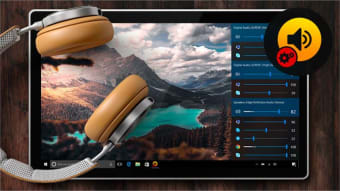
Volume Control for Windows is a lightweight utility that enhances your sound management across various apps. It suits multitaskers who juggle calls, music, and browsing. The interface is clean, responsive, and friendly, helping users fine-tune listening quickly without clutter, confusion, or distraction.

A quiet power in the background 

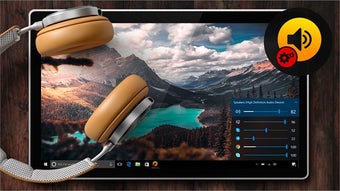
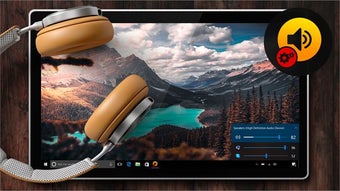
Volume Control for Windows is an audio mixer, system utility, and remote pc app that lets you assign per-app levels for browsers, games, meetings, and media. Sliders respond instantly, profiles save setups, and hotkeys speed changes. This genre suits productivity, streaming, and remote work needs.

A small drawback is limited advanced effects; there’s no equalizer, surround, or device-routing matrix. Some power users want deeper and stronger audio processing. Still, stability is strong, resources stay low, updates are simple, and compatibility covers common apps, headsets, and microphones, preventing sudden spikes, feedback, or overlaps.

Ending on a clear note 

Overall, Volume Control for Windows makes everyday listening calmer and more intentional. It saves time, avoids interruptions, and maintains focus. While not a studio tool, it excels at practical control, giving users confidence that each app sounds right, every moment, without fuss, hassle, stress, noise, clutter, chaos, overload, ever. 

  • Pros

    • Per-app volume control
    • Simple, clean interface
    • Low system resource usage
    • Helpful for multitasking and remote work
  • Cons

    • No built-in equalizer or audio effects
    • Limited advanced audio customization
 0/3

App specs

Program available in other languages


Icon of program: Volume Control for Window…

Volume Control for Windows

  • Free
  • 4
    2
  • 3.3K
  • V1.57.96.0

User reviews about Volume Control for Windows

Have you tried Volume Control for Windows? Be the first to leave your opinion!

Add review

You may also like

Alternatives to Volume Control for Windows

Explore Apps

Latest articles

Laws concerning the use of this software vary from country to country. We do not encourage or condone the use of this program if it is in violation of these laws.
Softonic

Is Volume Control for Windows safe?

100/100

Score result: Clean

This file passed a comprehensive security scan using VirusTotal technology. It is safe to download.

  • Virus free
  • Spyware free
  • Malware free
  • Verified by Security Partners

    VirusTotal logo

Scan Info

Last scan
Tuesday, April 30, 2024
Scan provider
VirusTotal

Softonic security commitment

Volume Control for Windows has been thoroughly scanned by our advanced security systems and verified by industry-leading partners. This file comes from the official developer and has passed all our security checks, showing no signs of viruses, malware, or spyware. For more information, visit our Security and Trust Center